Feeds:
Posts
Comments

Flipping Channels, which we hope to submit to Mutantspace’s second short film competition, has now begun principle photography. Filming took place largely at the apartment with myself as camera operator, Cethan as the male lead and Fiona as the director. We had spent more time getting adjusted to the new setup we began using today which included the new dolly mount, a camera jib and the laptop that displayed a live video feed coming from the camera and also was mounted to the tripod.

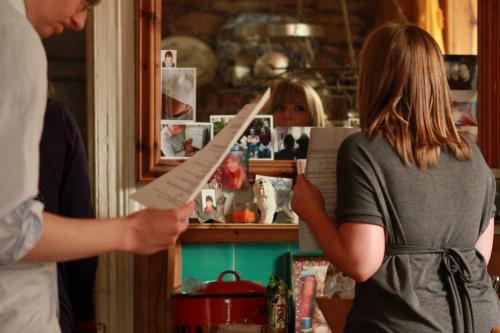
Although the amount of time we invested in the new equipment to function properly took up a large part of the 5 hour filming session, it was well worth it for the sake of  producing some pretty cool panning shots . On the same day we also scouted some potential filming locations at the Camdem Palace in Patricks Quay, we hope to be shooting key elements of the film there next weeks. It will be busy few weeks but we hope to get the film done before the competition deadline on the 4th of June. Once it’s finished and shown at the Mutantspace screening night, I’ll post the film here afterwards. Now for some snaps:

If you’re good with observation you would have spotted the Christmas garland on the top left corner of that pic above.

Other news, we’ll be attending the screening of Hardly Fairest at the Fastnet Film Festival that is running in Schull by the end of the month. Should be fun.

Pre-production work is well underway for Milton 3, the script has entered into 2nd draft stage but I should have it finished by the end of this month. Hoping to start preparations for principle photography by mid June.

– Jan

Anyone involved in the post production process is sure to be familiar with NLE’s such Final Cut Pro, Adobe Premier and Avid. Great pieces of software that get the job done at a somewhat hefty price tag, provided they were obtained a legal way. I wouldn’t be too surprised if the majority of low budget filmmakers would bypass the pricing issue by taking the piracy route, especially how much they’re charged in different regions. For instance, an American film maker can purchase a legal copy of Premier CS5 for $799 and how much would I have to pay for it through the Irish store? €1027.89 ( currently $1,368.43 ), so that works out as almost 70% more than the American price tag. You can try your best to give a verbose explanation for the pricing difference but you’d be hard pressed to convince them to not look at other options. Especially when they could spend the additional $568 on a decent enough editing machine.

However alternative options don’t have to involve either purchasing or pirating NLE software. There are plenty of other NLEs in the market, some of them are reasonably cheap and others are free, and why shouldn’t you look into these ones? Decent video software has to meet the basic NLE requirments:

  • Stability
  • Multitrack editing
  • Support for importing/exporting most audio/video formats
  • Intuitive interface
  • A catchy name

If it doesn’t meet all these needs then throw it away. If it crashes often it will only test your patience, all NLEs crash regardless anyway but some do more than others. If you can’t have more than one video/audio track it’s too counter productive. If it doesn’t support most audio/video formats it’s only take up more time and effort to manage. If the interface isn’t intuitive you’re bound to make more mistakes than the film’s measured continuity. If it doesn’t have a catchy name, you’re not going to remember it and never be able to find it again on your machine again until a technician over the phone asks you kindly to uninstall it to make the backup software run properly again.

As a self confessed freetard, I’m more inclined to use free and open source video editing software. Not because it’s doesn’t require a financial transaction but largely because they mostly meet the NLE requirements I listed above. Granted they won’t have those nifty little features where you can fix an actor’s lazy eye or add ears to the moon, but as long you can manipulate a incoherent mess of a footage together to produce something watchable then there’s no reason why you can’t live without  moon ears.

Most of the films I have edited with were largely done with Cinelerra and Kdenlive. Two of the best examples of free NLE software you can have on Linux, or at least I like to think that these are the only two. There are plenty of NLE’s on that specific platform thanks largely to the vast amount of software libraries that handle audio/visual content on that platform but most of these still need to mature to the same level as Cinelerra and KDEnlive.

Free NLEs are scarce on both Windows and Mac but the good news is that it won’t stay this way for long. First off the some of the developers of VLC have released early test versions of their NLE software, titled VLMC. It’s looking great so far, given how powerful VLC is, this one has a lot of potential. It’s early days so far but you can head straight onto their main website to check it out.

Interestingly, Lightworks will be open sourced, an NLE that has been used in the film industry for over 20 years ( you can see the list here ) will probably be freely available to the unsuspecting public by the end of the year. You can read the announcement here and sign up for free testing on the same page.

– Jan

April News

Pre-production work has started for two new Gifted Babies productions, one titled “Flipping Channels” written by Cethan specifically for Mutant Shorts: Mutant Rooms 2 competition where a film must be set in a living room. Quite a lot of work needs to be done to meet the requirements of the script which will hopefully be discussed in greater once production starts sometime next week. Fiona Riordan will be directing the up and coming short film, once again we will be shooting with the new 7D.

Cethan and Fiona at the Flipping Channels Pre-Production meeting

The other film is a new Miltonium adventure currently being written by myself and Cethan. The pieces are slowly being put together for the film but the need for extensive work to be done to the script has never been made more apparent by the presence of paragraphs significant to moving the story along that read out like this:

“They go to the kitchen to have a conversation. The dialogue uttered here is phenomenal. Later that day …”

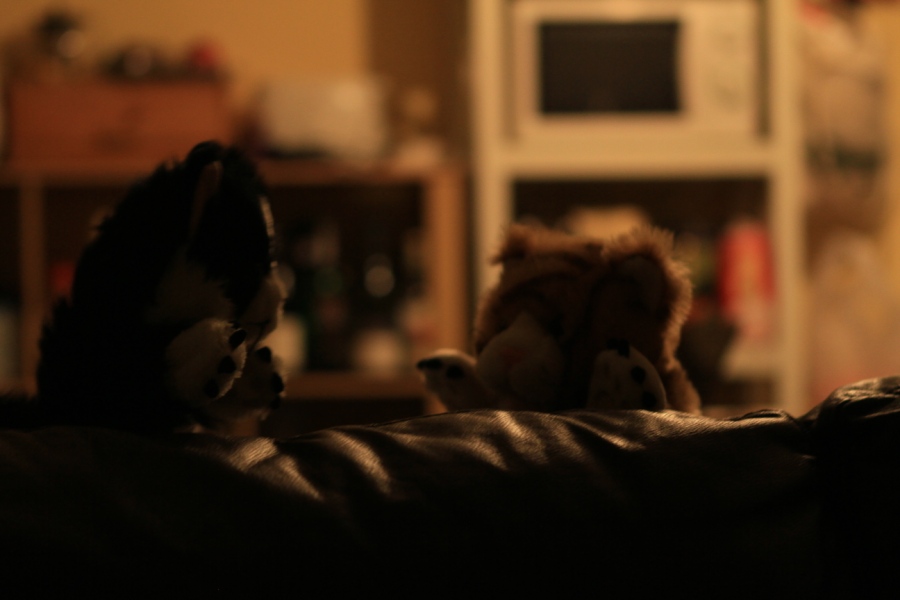
Currently the production target is set to June. Hopefully it will be finished in 2012 the end of the summer. The following photo should give a hint as to what one should expect from this film …

... more puppets!

With regards to Hardly Fairest, there is no official confirmation that the film will be shown in the Fastnet Film Festival but since we got the invitation to the program launch they hosted in the Bodega last week, it’s probably enough to say that it has been accepted 🙂

Hardly Fairest status

And we’re done.The film has been burnt to DVD and is currently on it’s way to Schull where we hope to make it for this years Fastnet Film Festival again 🙂 . It’s really a beautiful spot in West Cork and definitely worth going to even if you don’t necessarily want to watch the first showing of Hardly Fairest, unfortunately this does mean that the film will not be made available online for quite some time or at least soon after it’s shown in Fastnet. Work has already begun on the next film, without giving too much away I would urge anyone who is interested in knowing what it’s about to … stay tuned. ( I’ll probably change this last bit if we change our mind on what we’re going to do next )

Back to Hardly Fairest, this was our first foray into shooting and editing high-definition footage, and it has been quiet the bumpy experience from a technical standpoint. First off since the original footage was recorded from a DSLR camera, I was working with different ergonomics in mind, I would use my thumb to record the footage while the other fingers gripped to the camera’s side, the other hand would either adjust the focus during the shoot or have the camera held securely since their were no straps to secure the camera with. A bit awkward to work with at first but shooting with a Tripod makes the process substantially easier and it’s easily a deterrent in shooting with handheld, I’m not a fan of doing the latter anyway so it’s no big deal for me.

On the Post Production side of things working with Cinelerra 4.1 didn’t quiet work out so well as I had hoped, although I came across some strange artefacting in the project monitor but when it came to rendering the footage this was where I ran into a problem. Turned out that rendering the footage produced a different set of artefacts in the first five seconds of the rendered footage, the B-Frames ( or maybe it was the P-Frames … ) seemed to have ended up becoming corrupted, creating some very ugly features in the rendered footage. Also on several occasions when I was cutting a few seconds off the video I found that the audio portion had a greater portion removed than the video track itself and causing some sync issues. It was too difficult to come to terms with Cinelerra’s shortcomings, so I switched to Kdenlive instead.

I dabbled with this tool several times in the past and have found it to be quite unforgiving whenever I came across a bug in which case caused several hours of work go to waste. But it’s seemed to have matured since, currently on version 0.7.7.1, it has quickly become one of my favourite NLE applications despite some of it’s limitations, few unwelcome crashes and some niggling issues but on a whole it looks and it works just great. In comparison to some of the other free NLE’s available on Linux, this one trounces them in terms of ease of use and handling of different file types.

Introducing a film that adds another entry in Cethan Leahy’s list of screenwriting and directing credits, Hardly Fairest was shot on the 14th of March with the newly purchased Canon 7D and is currently well under way in Post Production. So far it’s looking pretty good. It took at least 4 hours to shoot the film, those who have seen First A Dream may notice an air of familiarity in the location used for this film. We’re aiming to get the film fully edited before the 28th and have it submitted shortly before the deadline of this years Fastnet Film Festival located in Schull, West Cork. It’s not known when exactly we’re going to post the film online however, since we’re planning on submitting the film to other festivals in the coming few months we’re going to take into consideration that they might not be willing to accept it if it’s already available online.

Production methods used for this film have changed somewhat over the previous films, not only are we working with a new camera but with a new PC with specifications that will remain pretty decent for at least 6 months until some mobile phone gets introduced into the market that will trounce the new PC in terms of performance. The majority of the editing is now carried out by Kdenlive for the time being since the current versions of Cinelerra ( 2.1 and 4.1 ) are proving to be quiet unreliable when working with the 7D footage. Also props created from scratch by Cethan were used in the making of this film and they look great, hopefully this will start some sort of trend in future productions.

I love working with Cinelerra, I really do, but sometimes I find myself having to make a few compromises when it comes to getting it to work seamlessly with newly recorded footage. Normally I would have to convert the original video to a format that Cinelerra can edit. From the various cameras I’ve worked with, the original footage has already been compressed, converting it to another format before editing it is unpleasant because it can degrade the quality further.

Canon 7D uses the .MOV container format to hold a h264 encoded video and a 2 channel pcm_s16le encoded audio track together. Works fine when you play it with VLC or run it through some Transcoding tools like Avidemux. With Cinelerra though, it’s somewhat problematic. Although you can import the video file just fine and run it through the timeline, Cinelerra is unable to play the audio portion of the file. Cinelerra is able to read h264 encoded videos separately just fine , likewise for pcm_s15le encoded audio but the problem lies with the container format. Run it through ffmpeg and you’ll get a message like this:

“Seems stream 0 codec frame rate differs from container frame rate: 50000.00 (50000/1) -> 25.00 (25/1)”

At the moment Cinelerra 4.1 only decides to work with the video stream and ignores the audio stream, normally in this case I would extract the audio portion of the file, import it separately into the project and manually attach it to the video file in the timeline but that’s far too tedious to make it worthwhile. Instead, repackaging the file into another container will do the trick. My choice is the Maktroska format, an open source container format similar to MOV, AVI or MP4 but much more flexible in terms of how much media content it can hold and what codecs it supports. You can read more about the format from this Wikipedia article. The important thing to note is that Cinelerra 4.1 does support it.

Canon 7D .mov footage with no playable audio

Changing the container takes only a few seconds with very negligible difference in the size of the original video file and the recently produced MKV file. Most importantly the audio and video content remains untouched. The quickest way of changing the container is through the command line using ffmpeg as the transcoding tool, this command will do the trick:

“ffmpeg -i mvi_8927.mov -vcodec copy -acodec copy mvi_8927.mkv”

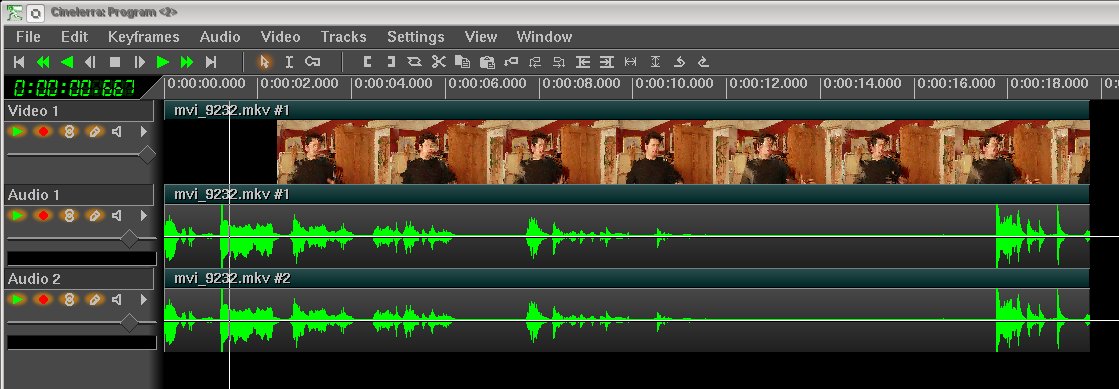
Explanation: So here the “mvi_8947.mov” is used as the input file, the video codec ( vcodec ) is to set to copy the input instead of converting to another format, same goes for the audio codec ( acodec ) and finally “mvi_8947.mkv” is the file output with the Matroska video extension. Ffmpeg then goes ahead copies the audio and video portions into a Maktroska file which you can then import into Cinelerra 4.1 . Now we’re able to work with Canon 7D files with both audio and video portions made playable in Cinelerra.
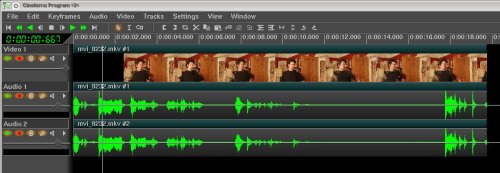
Canon 7D footage repackaged into MKV format, now with audio and weird artefacts in the video preview

But it’s not without its oddities, version of Cinelerra 4.1 has some artefacting issues in the Compositor when the video is paused. Despite this, the artefacting never shows up when played or rendered in Cinelerra. It’s nothing to be too worried about.

Note: This tutorial won’t work with community version of Cinelerra, for the time being Cinelerra 2.1 ( 22nd February 2010 build version ) is unable to read MKV properly for me.
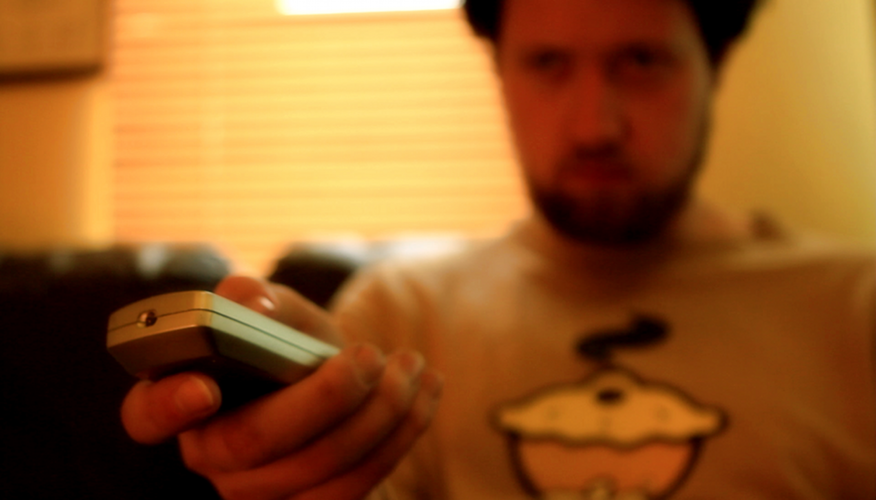
Finally procured the Canon 7D. After watching some fantastic footage on Philip Bloom’s website and countless other examples on Youtube, actually I was pretty much sold on the idea of using DSLR cameras to shoot films with since watching REVERIE on Canon’s website, although this showcases the 5D Mark II, the technical differences between this camera and the 7D are merely subtle with the exception of considerably larger sensor size ( 35mm vs 22mm ) and a heftier price tag ( aprox €1,000 more ). With the 7D, it’s now a lot easier to transfer films from the camera straight to the editing equipment since it takes is a memory card reader and a few seconds to transfer. Being able to change the lens is also a great bonus since it allows for pretty flexible filming styles. More importantly the camera works fantastically well in low light conditions.

Despite my praises the camera still has its shortcomings, first off it’s a lot more uncomfortable to shoot with since the ergonomics weren’t designed for handheld shooting in mind. The CMOS sensor is subjected to the Rolling Shutter effect when it comes to sudden movements such as quick panning effects, although fixable through editing tools like Virtualdub when used with Deshaker for example, it’s still going to add a layer of tediousness to some footage that features a lot of motion. Canon 7D is also limited to a recording filesize of 4 GB and it doesn’t even bother rolling back to a new file once the limit has been reached. According to some articles on the web, some users experienced overheating during the video recording although this seems likely to happen when shooting at lower resolutions according to this blog post.

Here’s some early test footage ( shrunk down to 540P and then heavily compressed by Vimeo )

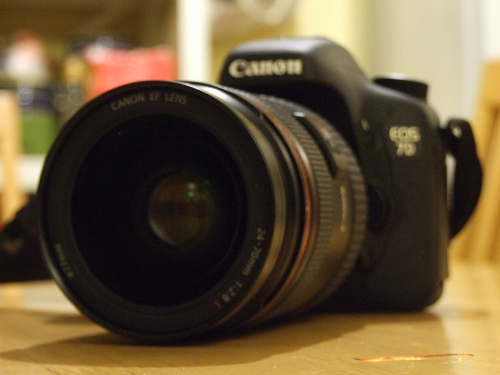
It takes nice images too.

January/February News

It has started to get quite dusty here. That’s because there’s no real news to tell at the moment, currently we’re writing on new scripts and novels that we hope to get to film once the new equipment starts rolling in for the next few months. Certainly are working on a few interesting ideas including a new Miltonion adventure, a silent film and another Christmas film that we already partially shot last December.

Expect some sort of content in the near future that isn’t necessarily related to above.